How to Convert REST Web Service APIs to MCP
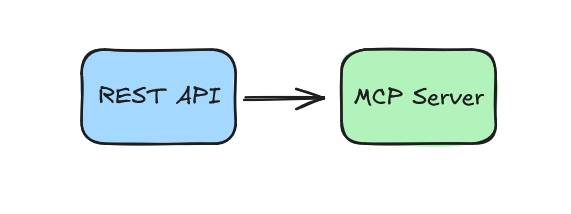
So you’ve caught the Model Context Protocol (MCP) trend and decided that you want to expose an existing REST web service as MCP without writing a new service. What are your options?
In this guide, let’s take a look at the options available as of today (2025-09-01).
1. Add MCP Server to the service directly
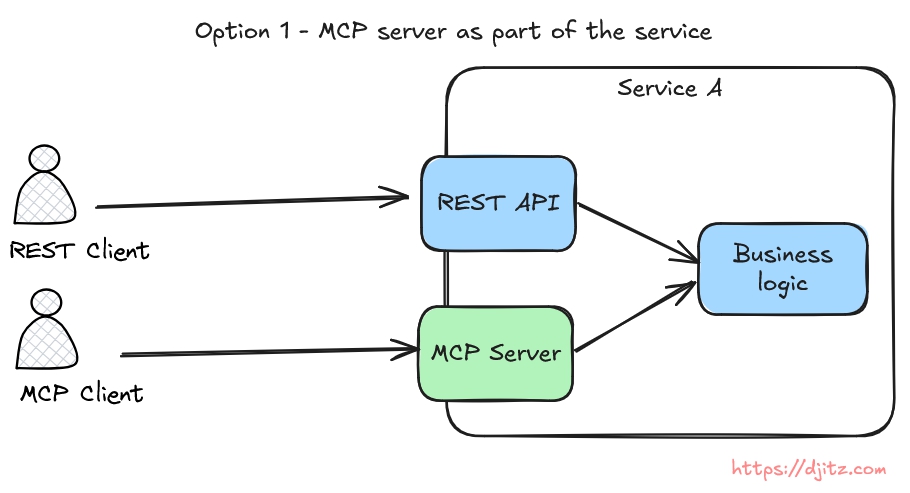
This means to modify the service and add MCP server endpoints to it.
This option is available for some programing languages; Python, Typescript, Java, Go, etc. Check the list of available MCP SDKs here.
At high level, here’s what needs to be done:
- Add the relevant MCP SDK to the service,
- Add the code to expose MCP server endpoint – it can be as simple as adding some annotations, or write some server code to run it on a separate port.
This option is straightforward, but limited to the availability of MCP library for the programming language, and the service’s method of authentication (HTTP-based MCP server should use OAuth according to MCP specification).
2. Use a proxy
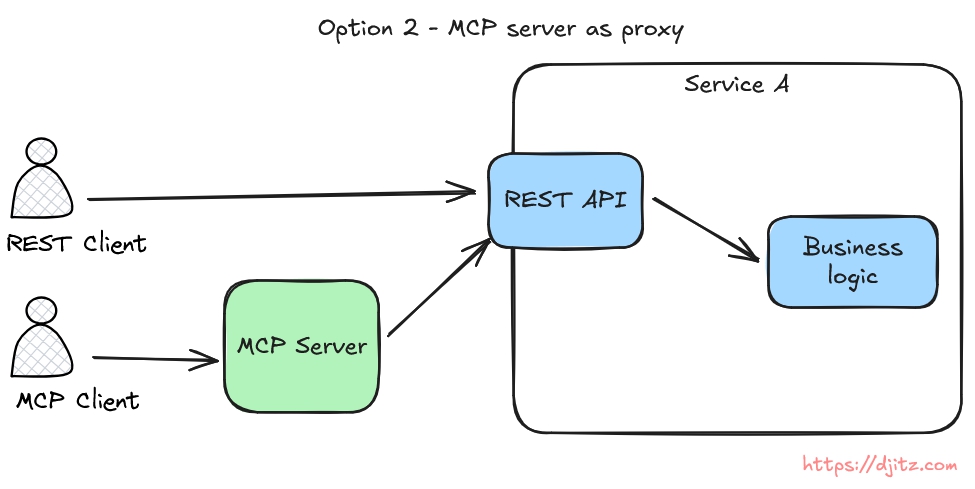
If, for any reasons, you can’t add MCP server to the service, then adding an MCP proxy layer proxy before the REST service is an alternative.
Under this option, there are several different ways of implementation:
2.1 MCP Gateway
Some cloud providers have this option, e.g. Azure API Management for AI, AWS Bedrock AgentCore Gateway. Similar to how API gateway works, the MCP gateway provides MCP endpoints in front the REST web service.
2.2 Lightweight MCP Server Proxy
This requires writing some code to create the proxy. There are several options to do this.
2.2.1 Autogenerate MCP server endpoints from Open API Spec (OAS) file
There are some libraries that can automatically convert REST endpoints described in Open API Spec (OAS) file as MCP endpoints. One example is FastMCP . This option is easy and fast because there’s no need to write each MCP endpoints manually. However, MCP is not REST API, and the result is not that polished.
2.2.2 Write proxy code manually
This option requires the most effort, because we need to write the proxy code using one of the MCP SDKs. It requires the most effort, but also provides the most control.
Once the MCP server proxy is done, it can be deployed as a remote server, or local.
Local executable can use npx (for node based server), uvx (for python based server), binary, etc.
Another local option worth mention separately is Docker. Wrapping the MCP server within a Docker container provides runtime simplicity (client doesn’t need to install programming specific server), and security (server runs on a container, not on client machine directly). Docker also recently introduced MCP catalog and toolkit (beta).
Conclusion
For now, these are the options to convert REST API to MCP server that I found. Let me know if there are other ones that I missed.